Monday, September 15, 2008
at
3:11 PM
Posted by
rizq
The first preview release of sidux 2008-03, a distribution and live CD based on Debian's unstable branch, is available for testing: "Later than planned (due to a hard-to-find bug in VirtualBox), sidux 2008-03 'Ourea' is now ready to enter the preview season for amd64 and i686 systems.
As usual, the previews are shipping only as a small, but fully functional, 'KDE-lite' flavours, accompanied by a combined 'Xfce-lite' flavour for amd64 + i386. 'Ourea' concentrates on integrating the changes caused by kernel 2.6.26 and on post-install experiences - by propagating the default user profile to new users as well.
As a welcome side effect, hardware for common netbooks and newer chipsets is now supported by sidux. Furthermore, a large number of individual functionality enhancements and bug fixes have been applied to the full package line-up. Review From DistroWatch.com
Current Release Notes
The release schedule for sidux in 2009 will be announced with the final release of sidux 2008-03 "Ουρέα", which is expected in roughly 1–2 weeks.
amd64 (AMD64, Intel Core2, newer 64 bit capable AMD Sempron and Intel Pentium 4 CPUs (watch for the "lm" flag in /proc/cpuinfo or use infobash -v3) and i686 (Pentium pro/ Pentium II, AMD K7 Athlon or newer)).
Debian sid, as of 2008-09-14.
kernel 2.6.26.5 (smp, hard preemption).
X.org 7.3.
KDE 3.5.9 (en + de).
new, SVG based, art theme created by bfree and the sidux art team.
offline manual for en + de directly on the disc, online manuals for more languages online at http://manual.sidux.com/ and available via apt; a big thank you goes to the documentation and translation teams!
Please note that the offline manual is only available on the running live CD or the installed system.
many changes for the manual.
iwlwifi3945/ iwlwifi4965 support.
ath5k support for 54 MBit/s Atheros cards.
b43/ b43legacy support for Broadcom wlan cards.
rt2x00 support for RaLink cards.
support for RealTek RTL8101 and RTL8102(E) PCIe ethernet cards.
support for RealTek RTL8180L and RTL8185 PCI/ cardbus wlan cards.
support for RealTek RTL8187 USB wlan cards.
support for ADMtek ADM8211 PCI/ cardbus wlan cards.
support for IPWireless 3G UMTS PCMCIA cards.
support for HSDPA Broadband Wireless Data (Globe Trotter) cards.
e1000e support for Intel 82801I, 82566DM-2, 82562GT-2, 82562G-2 and 82562V-2 Gigabit Ethernet cards (ICH9).
support for Logitech Quickcam Orbit, Logitech Quickcam Pro for Notebooks, Logitech Quickcam Pro 5000, Asus Eee PC webcams (linux-uvc).
driver support for Ricoh R5U870 OEM webcams
fw-detect to probe for hardware with non-free needs.
memtest86+.
bitsetting/ xrandr settings for ATi and Intel cards.
native gtk2 support for siduxcc.
screen support fixed.
bugfixes for virtualbox-ose and kernel 2.6.26 guests.
Gentoo is a free operating system based on either Linux or FreeBSD that can be automatically optimized and customized for just about any application or need. Extreme configurability, performance and a top-notch user and developer community are all hallmarks of the Gentoo experience.
Thanks to a technology called Portage, Gentoo can become an ideal secure server, development workstation, professional desktop, gaming system, embedded solution or something else -- whatever you need it to be. Because of its near-unlimited adaptability, we call Gentoo a metadistribution.
Of course, Gentoo is more than just the software it provides. It is a community built around a distribution which is driven by more than 300 developers and thousands of users. The distribution project provides the means for the users to enjoy Gentoo: documentation, infrastructure (mailinglists, site, forums ...), release engineering, software porting, quality assurance, security followup, hardening and more.
Portage is the heart of Gentoo, and performs many key functions. For one, Portage is the software distribution system for Gentoo. To get the latest software for Gentoo, you type one command: emerge --sync. This command tells Portage to update your local "Portage tree" over the Internet. Your local Portage tree contains a complete collection of scripts that can be used by Portage to create and install the latest Gentoo packages. Currently, we have more than 10000 packages in our Portage tree, with updates and new ones being added all the time.
Portage is also a package building and installation system. When you want to install a package, you type emerge packagename, at which point Portage automatically builds a custom version of the package to your exact specifications, optimizing it for your hardware and ensuring that the optional features in the package that you want are enabled -- and those you don't want aren't.
Portage also keeps your system up-to-date. Typing emerge -uD world -- one command -- will ensure that all the packages that you want on your system are updated automatically.
Speed, performance, stability -- these are attributes that set VectorLinux apart in the crowded field of Linux distributions.The creators of VectorLinux had a single credo: keep it simple, keep it small and let the end user decide what their operating system is going to be.
What has evolved from this concept is perhaps the best little Linux operating system available anywhere. For the casual computer user you have a lightning fast desktop with graphical programs to handle your daily activities from web surfing, sending and receiving email, chatting on ICQ or IRC to running an ftp server.
Power users will be pleased because all the tools are there to compile their own programs, use the system as a server or perhaps the gateway for their home or office computer network. Administrators will be equally as pleased because the small size and memory requirements of the operating system can be deployed on older machines maybe long forgotten.
TinyMe is a remaster of PCLinuxOS which comes packaged in a miniscule 200MB ISO. We do this for those of you who have old computers, like to mess around with small/fast systems, or want to program for a lightweight environment. TinyMe is comparable to distributions like Puppy, AntiX, and DSL. If you like small distributions of Linux, give TinyMe a try.
While trying to retain a small, lightweight platform, TinyMe also strives to bring you the basic tools for everyday needs. When you download TinyMe 2008.0, you receive the tools to:
Write documents in AbiWord, a Word Processor
Browse the web with Opera
Listen to music in Audacious, a WinAmp look-alike
View photos and download photos off your camera with GThumb
Rip CDs in Asunder
Customize your system and desktop through easy-to use Control Centers
Get your E-Mail with Sylpheed
View PDFs with ePDFView
Edit text files or write a program with the SciTE text editor
Dreamlinux is a modern and modular GNU/Linux system that can be run directly from a CD/DVD/USBStick and optionally be installed to a HDD (IDE, SCSI, SATA, PATA and USB Drive). Dreamlinux comes with a selection of the best applications designed to meet most of your daily needs. Dreamlinux is based on the venerable Debian Operating System, which means it takes advantage of Debian best features and adds its own modern development tools, system scripts and applications.
Dreamlinux Desktop Edition 3.x offers two options of Desktop Environments to be selected during boot time: Xfce and Gnome.
Work with: The OpenOffice.org office suite; the Orage personal organizer; the PDF Reader Evince; the instant communicator Pidgin; theThunderbird e-mail client and the Firefox (Iceweasel) web browser pre- configured, including several useful plugins such as java, flash, audio and video, etc.
Design, paint: Unleash your imagination with the digital painting applications: Gthumb and GimpShop. Draw using Inkscape, the last word in vector graphics design, with exclusive features.
Listen to: Music, be in the traditional CD format, be in the new audio formats such as mp3, ogg and others, using Rhythmbox and Gxine. Convert audio files using SoundConverter. Use SoundJuicer to extract tracks from your CD and record audio CDs using Brasero.
View: Download photos from a photo camera with just one mouse click. Cut, paste and edit using AviDemux. Record CD/DVD using Brasero. Run any video format file using MPlayer with subtitles and several tunning options. Watch DVDs with the original interactive menus using Gxine.
Slax is a modern, portable, small and fast Linux operating system with a modular approach and outstanding design. Despite its small size, Slax provides a wide collection of pre-installed software for daily use, including a well organized graphical user interface and useful recovery tools for system administrators.
The modular approach gives you the ability to include any other software in Slax easily. If you're missing your favourite text editor, networking tool or game, simply download a module with the software and copy it to Slax, no need to install, no need to configure.
If you are a beginner or you're just too busy to make it yourself, follow a few steps to build your own customized operating system by using web-based interface here.
Slax 6 is small
Slax has participated in development of so called sqlzma patches; the code implements 7-zip compression (LZMA) into squashfs filesystem. Moreover, squashfs evolved by the time and it now supports bigger block sizes than before. The combination of these two enhancements makes Slax one of the best-compressed operating systems in the history.
All Slax modules are much smaller than any other compressed packages available nowadays for all other Linux distributions, while the speed of decompression remains usually faster than reading the full data from disk.
Slax 6 is portable
Thanks to the AUFS filesystem, the read-only part of Slax (system data and modules) is overlayed by a writable filesystem. You can modify all areas of the filesystem in Slax without any restrictions. Your changes to the read-only parts are transparently copied to the writable branch and stored in memory or in a persistent directory on your disk or even flash drive. Slax is designed to autodetect whether it runs from a writable media, and if that is detected, Slax will save all your changes there automatically.
In Slax, you are not limited to just a persistent home directory - the whole root filesystem is fully writable, so we talk about 'persistent changes' (rather than about 'persistent home', known from other live distributions). You can modify /bin/bash the same way like ~/kderc.
Slax 6 is feature rich
XWindow system, KDE desktop with K-Office, Internet browsing, e-Mail, Instant messaging, CD/DVD burning and ripping, Audio and Video encoding, Multimedia players, all and even more is included in Slax.
Slax 6 is multilingual
There are official releases of Slax in 28 different languages, including Catalan, Croatian, Czech, Danish, Dutch, Estonian, Finnish, French, Galician, German, Greek, Hebrew, Hungarian, Icelandic, Italian, Lithuanian, Norwegian, Nynorsk, Polish, Portuguese, Romanian, Russian, Slovak, Slovenian, Spanish, Swedish and Turkish.
Puppy Linux is an operating system, which means it is that which makes a computer able to function at all, it is that which allows all the hardware on a computer to talk to each other and that which enables applications to run. Other famous operating systems are Microsoft Windows, Apple's OSX and MSDOS. Puppy takes its ancestory from Linux and so, like most other Linux-based operating systems, it is a completely free and open source.
There are a number of things that make Puppy different from other Linux derivatives, but the most significant is its small size, around 80MB! This lends itself to some very useful and unique features;
'Live' booting from CDs, USB sticks and other portable media.
Ability to run entirely from RAM, making it unusually fast and particularly relevant to modern PCs with solid state CF drives, such as Wyse & HP/Compaq 'thin clients' and the ASUS EeePC & similar 'next generation' hand-helds.
Very low minimum system requirements, runs happily on old Pentiums with as little as 32Mb RAM.
Sub-60 second boot times.
Puppy Linux was first released in June 2003 by Barry Kauler, it was and still is a project for the sheer love of it. Barry just develops his official Puppy versions, he isn't responsibile for setting up the forum or this website, these are community efforts. The community, in fact, is completely organic without any formal agenda or structure.
It often takes newcomers a while to realise that there aren't really any rules to Puppy, if you want to do something, make a new Puplet, offer your skills or take things in a new direction you can just do that, no-one will stop you! Here is what Barry has to say about how the project is run, or rather 'not run' as he puts it.
Freespire is a community-involved, Linux-based operating system that combines the best that free, open source software has to offer (community involved, freely distributed, open source code, etc.), but also provides users the choice of including proprietary codecs, drivers and applications as they see fit.
With Freespire, the choice is yours as to what software is installed on your computer, with no limitations or restrictions placed on that choice. How you choose to maximize the performance of your computer is entirely up to you.
Freespire 2.0 begins with Ubuntu (Version 7.04) as its baseline and then adds software from six broad categories, further expanding Freespire's capabilities:
CNR Plugin provides free one-click access to thousands of open source applications, as well as options for legally licensed DVD playback software, Sun's StarOffice, Parallels Workstation, Win4Lin, CodeWeaver's Crossover Office, TransGaming's Cedega, commercial games and many more.
KDE is added for an easier-to-use and more comfortable interface, with a familiar look & feel for Apple Mac and Microsoft Windows users.
Enhanced applications and features are added for enhanced usability and ease of use, modifying software applications like Firefox and Thunderbird, along with adding Linspire-sponsored open source software like Nvu, Lsongs and Lphoto.
Proprietary software is added when necessary, like Java, Flash and Adobe Acrobat, to provide overall increased interoperability.
Proprietary codecs are added to expand multimedia compatibility and provide a superior overall experience so users can listen to MP3 files, play Windows Media files, and much more.
Proprietary drivers are added to expand hardware compatibility and provide optimum 3D graphic card support, better WiFi support, and more.
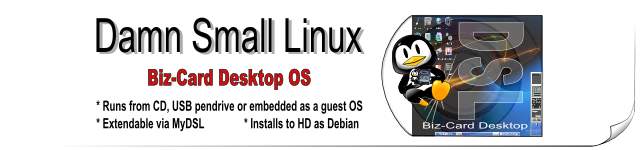
Small Linux is a very versatile 50MB mini desktop oriented Linux distribution.
Damn Small is small enough and smart enough to do the following things:
Boot from a business card CD as a live linux distribution (LiveCD)
Boot from a USB pen drive
Boot from within a host operating system (that's right, it can run *inside* Windows)
Run very nicely from an IDE Compact Flash drive via a method we call "frugal install"
Transform into a Debian OS with a traditional hard drive install
Run light enough to power a 486DX with 16MB of Ram
Run fully in RAM with as little as 128MB (you will be amazed at how fast your computer can be!)
Modularly grow -- DSL is highly extendable without the need to customize
DSL was originally developed as an experiment to see how many usable desktop applications can fit inside a 50MB live CD. It was at first just a personal tool/toy. But over time Damn Small Linux grew into a community project with hundreds of development hours put into refinements including a fully automated remote and local application installation system and a very versatile backup and restore system which may be used with any writable media including a hard drive, a floppy drive, or a USB device.
antiX is a fast, lightweight and easy to install linux live CD distribution based on MEPIS for Intel-AMD x86 compatible systems. antiX offers users the "Magic of Mepis" in an environment suitable for old computers. So don't throw away that old computer yet! The goal of antiX is to provide a light, but fully functional and flexible free operating system for both newcomers and experienced users of Linux.
It should run on most computers, ranging from 64MB old PII 266 systems with pre-configured 128MB RAM to the latest powerful boxes. 128MB RAM is recommended for antiX. antiX can also be used as a fast-booting rescue cd.
antiX-M7 will not run (yet) on older processors such as Pentium I (it seems that PII is ok, but PII MMX may not boot), AMD K5, and AMD K6 as it uses an up to date i686 kernel. antiX-Spartacus should.
At the moment antiX comes as a full distro (c310MB) and as a base distro (c178MB). For those who wish to have control over the install, use antiX-base.
SliTaz is a free micro GNU/Linux distro using BusyBox, a Linux kernel, and GNU free software. The goal of SliTaz is to have a GNU/Linux distro working in memory (RAM). Installable to a hard disk, with good support for French language web, It offers reliability, high performance and PC recycling.
SliTaz boots with Syslinux and provides:
more than 200 Linux commands,
the LightTPD web server,
SQLite database,
rescue tools,
IRC client, SSH client/server powered by Dropbear,
X window system, JWM (Joe's Window Manager),
gFTP, Geany IDE,
Mozilla Firefox, Alsaplayer, Gparted, a sound file editor and much more.
SliTaz's ISO image will always fit on less than 30 MB, to try and give you a reasonable selection of software
Linux Mint is one of the surprise packages of the past year. Originally launched as a variant of Ubuntu with integrated media codecs, it has now developed into one of the most user-friendly distributions on the market - complete with a custom desktop and menus, several unique configuration tools, a web-based package installation interface, and a number of different editions. Perhaps most importantly, this is one project where the developers and users are in constant interaction, resulting in dramatic, user-driven improvements with every new release. DistroWatch has spoken to the founder and lead developer of Linux Mint, Clement Lefebvre, about the history of the distribution.
Some of the reasons for the success of Linux Mint are:
It's one of the most community driven distributions. You could literally post an idea in the forums today and see it implemented the week after in the "current" release. Of course this has pros and cons and compared to distributions with roadmaps, feature boards and fixed release cycles we miss a lot of structure and potentially a lot of quality, but it allows us to react quickly, implement more innovations and make the whole experience for us and for the users extremely exciting.
It is a Debian-based distribution and as such it is very solid and it comes with one of the greatest package managers.
It is compatible with and uses Ubuntu repositories. This gives Linux Mint users access to a huge collection of packages and software.
It comes with a lot of desktop improvements which make it easier for the user to do common things.
There is a strong focus on making things work out of the box (WiFi cards drivers in the file system, multimedia support, screen resolution, etc)
MyPendapat: Get bored with Ubuntu? Need Ubuntu stability but with elegance and enhance features? I strongly advise you to try and feel Linux Mint latest release.
Inside PCLinuxOS 2007 Live CD - 2GB compressed Kernel 2.6.18.8 KDE 3.5.6 OpenOffice.org Firefox Thunderbird Flash, Java Beryl 3D Nvu Digikam, Gimp and GQview for digital photo manipulation Amarok, Audacity and Audio Creator for digital music Frostwire, BitTorrent and gFTP for file transfers and p2p file sharing MPlayer and Kaffeine for video viewing Kopete and Xchat for online chatting Blogging and podcast
MyPendapat: If you need fully working multimedia desktop, I recommend this distro for a test. Just loaded this LiveCD and follow on screen instruction. Don't afraid with your existing windows since it's running fully from your CD ROM. But, bare in mind that running this distro from LiveCD will not give you a perfect environtment, the OS will run a little bit slow if you have outdated PC or Laptop. My suggest, try first in LiveCD, see either your hardware detected and working as usual and be brave to do hardisk installation.
PCLinuxOS - A perfect choice to become your daily desktop operating system. My first installation of Linux Distro are Mandrake (Now Mandriva), a way back on 1998. Since than, I become a big fan of Mandriva Distro. Because of its stability, easy installation, detect mostly all my hardware without need to find any driver. In early version, PCLinuxOS heavily base on Mandrake since 2003, and now being fully independant Linux Distro.
To read full article on how to install PCLinuxOS, please visit HowToForge.com. Also this quote taken from PCLinuxOS wiki.
PCLinuxOS∞ is an Operating System, just like Windows XP and Mac OS. PCLinuxOS is also a GNU/Linux distribution, in that it based on the Linux kernel using the GNU toolset. PCLinuxOS is one of the world's up and coming providers of a userfriendly Linux Desktop Solution. With a small but dedicated development team, PClinuxOS delivers Desktop Ready Software that harnesses the power of the Open Source Community.
PCLinuxOS comes to you as an English only self-booting live CD, it runs entirely from a bootable CD without installing anything on your computer. Data on the CD is uncompressed on the fly allowing up to 2 GB of programs on one CD including a complete desktop environment, office suite, web-browsers, email clients, p2p filesharing, multimedia applications and much more, all preconfigured and ready to use!
In addition to the live CD mode, you can also install PCLinuxOS to your hard drive using our easy to use live CD installer, assuming you like PCLinuxOS and it runs well on your computer. You can very easily keep your installed PCLinuxOS safe and up to date with the supplied configuration tools.
You'll find that PCLinuxOS is in fact one of the best (if not the best) integrated and most user friendly operating systems you'll find. In addition to that, it comes with a complete set of software, good defaults and impressive multimedia applications.
PCLinuxOS is radically simple.
Interested in PCLinuxOS?
We highly recommend that you visit PCLinuxOS.com∞ to take full advantage of news, help forums, and access to hundreds of high-quality applications for your PCLinuxOS system.
Interested to read where PCLinuxOS comes from, and why you can get it for free? Read our short PCLinuxOS History introduction.
Distrowatch - Summary of Latest news on Linux Distro
This is another good website for you to know about latest release on all linux distro available.
Description about this website as taken from its website.
"The DistroWatch web site was first published on 31 May 2001. The concept started as a very simple table comprising of 5 major distributions and the chart only compared a few features (price, version, release date) and a few package versions (Kernel, KDE, Gnome, XFree86, Apache). Trying to make it slightly more comprehensive and useful (and failing to find anything similar and up-to-date on the Internet), I have kept adding more distributions, features and packages until the table reached fairly reasonable state in terms of information provided. At that stage, I decided to share the table with the Linux community worldwide and moved it from a spreadsheet into an HTML document."
"The site was established, developed and is maintained by Ladislav Bodnar, a Slovakian-born South African living in Taiwan. I attempted my first ever installation of a Linux operating system in April 1999. The Chinese say: "A one-thousand mile journey starts with a single step." Those first steps were not very easy, but the journey itself has been full of pleasant surprises, even joys and, most importantly, it has been a journey of freedom. Linux is great and this site is just a small contribution to all who enjoy it. DistroWatch has a number of active contributors - among them Dr Zhu Wen Tao, a member of the Chinese Academy of Sciences in Beijing, China, Susan Linton, the founder and webmaster of Tuxmachines.org, Chris Smart, the developer of the Kororaa distribution, and Robert Storey, a former writer of travel guide books and an ardent reviewer of Linux distributions."
Henry.
-
Huh. Kejap. Gua nak buang sarang labah-labah kejap. Nak sapu sikit
debu-debu cinta yang dah bertimbun dalam blog ni. Maklumlah. Hampir DUA
tahun tak berusi...
Selamat Menyambut 2013, Selamat Tinggal 2012!
-
Sekelip mata sahaja masa berlalu. Pejam celik kita sudah bakal memasuki
2013. Ya, dunia masih belum berakhir, tafsiran kalender Mayan adalah bohong
sema...